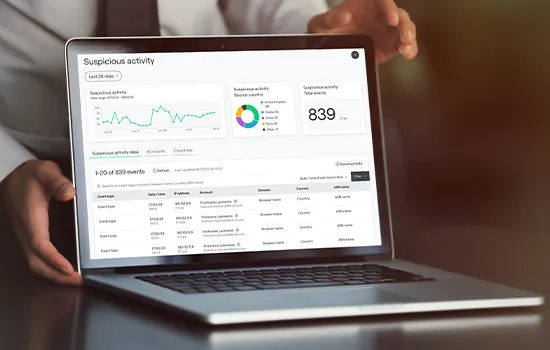
SIEM is an acronym (pronounced sim, or possibly seem – there’s debate on that) for Security Information and Event Management. It’s one of the many cybersecurity tools that help you detect threats before they can cause further damage to your business. So what exactly does it do and how does it differ from Extended Detection & Response (XDR)? Let’s break it down in this jargon-busting edition.
What is SIEM?
SIEM collects log data, security events and other system activity data from multiple sources, including endpoints, network devices, servers, applications, firewalls and more. It can analyse and correlate large amounts of information to find issues, patterns, and trends to help organisations spot threats before they escalate.
SIEM is a powerful way of tackling cyber threats due to the sheer amount of data that a tool can ingest and interpret – more so than could ever be achieved by manual analysis.
Alerting IT teams quicker to potential issues – ones they may not have even noticed in isolation – allows for a faster MTTR (mean+ time to respond).
In addition to using a SIEM tool for event log management, organisations use it for demonstrating compliance with regulations such as GDPR, NIS2, HIPAA etc.
What data does SIEM utilise?
SIEM tools ingest IT events, security incidents and log data and the more it can consume the greater the opportunity it has to bring meaningful insights.
Their functions typically cover three core areas:
- Log management: Taking the disparate data from across your systems and bringing it together in one place for analysis.
- Event correlation: The data is analysed looking for relationships and patterns in behaviour to identify potential threats.
- Incident monitoring: Providing alerts of an incident and related events so your teams can make an informed response.
What are the key benefits of SIEM?
A SIEM tool offers four key benefits:
Visibility and clarity. It’s bringing together all this data that your teams couldn’t analyse on their own. More than that, it provides clarity on potential issues so you can improve your security posture and respond faster.
Flexibility to adapt. A good SIEM will easily adapt as you bring new technologies on board. For example, if a new cloud service is deployed the SIEM tool needs to be bringing in its data without complicated integrations to ensure protection from day one.
Compliance management. Proper logging and demonstration of security practices are important for many pieces of legislation, such as NIS2. With a SIEM tool, you can demonstrate both a consistent ‘paper trail’ and a proactive approach to threat management.
Limitations of SIEM
The main limitation of the tool is that SIEM alone won’t help you respond to security events. You will need a team of analysts to interpret the data and identify patterns and anomalies. Without that, you’ll likely be overwhelmed by tons of data that you don’t know what to do with.
There’s also a risk of information overload with SIEM. It cannot classify events as sensitive, or non-sensitive on its own and the amount of automation you can build on it is limited. This means you’re probably looking at false positives and insignificant data, more than you’d like to.
However, you can set some predetermined rules that help your team focus on what matters most and avoid too many false positives.
Rules could for example monitor activity outside of certain hours. Or if multiple logins for different usernames come from the same IP within a certain time. Or if a user failed to enter a correct password a specific number of times.
Only activity that triggers your rules will generate alerts and it can also be categorised with potential severity.
SIEM vs XDR
Extended Detection & Response(XDR) is similar to SIEM in that both tools collect and analyse data in a single location in order for teams to form appropriate security responses.
SIEM will only generate data, it needs a team of analysts to make sense of it. SIEM can’t automatically respond to threats in real time.
But XDR, on the other hand, has an element of ‘response’ built into it. That means XDR can automatically isolate the device or take other actions to prevent the threat from spreading through the network, while your team investigates the incident.
XDR meanwhile lacks the extensive logging and compliance aspects of SIEM.
As a result, it’s not a case of one or the other, as both solutions are beneficial in different ways to your organisation.
Is SIEM right for me?
A SIEM is generally used by organisations that have a mature security posture so they can use it to detect anomalies and assess the effectiveness of their security measures.
If your organisation already has mature cybersecurity practices, implementing a SIEM might be useful. But for others, it’s likely better to have the basic security building blocks in place before considering SIEM.
As a starting point, use tools like EDR or XDR for comprehensive monitoring and response to threats. These tools operate at the ground level, stopping things as they happen.
Next steps
Our key takeaway from SIEM is that it brings together wide ranges and large volumes of data offering your teams the ability to identify potential issues and head them off quickly.
The tools however will only work with proper integration to your various data sources. Setting the right alerting levels is also key to finding a balance between too many false positives and potentially missing dangerous cyber threats.
If you want help implementing a SIEM solution or are taking it one step further and exploring managed security services, contact us to see how we can help.